The Ultimate Data Automation Suite

Work Faster, Smarter, and Error-Free.
Manual data entry is slow, exhausting, and prone to costly mistakes. N2Rwila Autotyper is a high-performance automation utility that bridges the gap between your spreadsheets and any data-entry interface. Whether it is a web portal, a desktop application, or a legacy ERP system, our tool handles the heavy lifting with 100% accuracy. Built with integrated privacy protection, the interface remains completely invisible during screenshots, video recordings, and live screen sharing.
Autotyper

What Is Autotyper

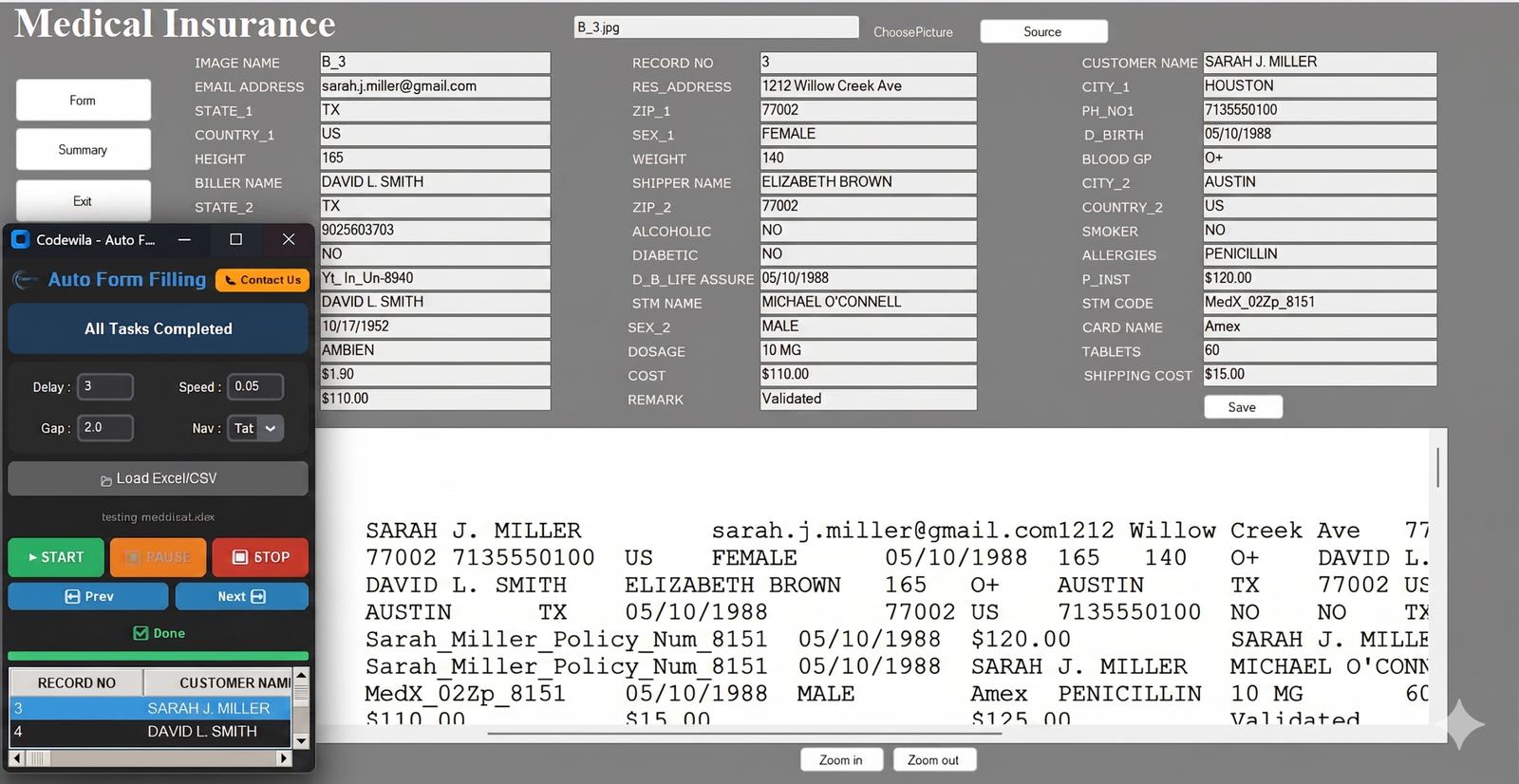
The Auto Form Filler is an intelligent automation tool designed to automatically fill online and offline forms with speed and accuracy. It helps eliminate repetitive manual typing and is ideal for high-volume data entry tasks.

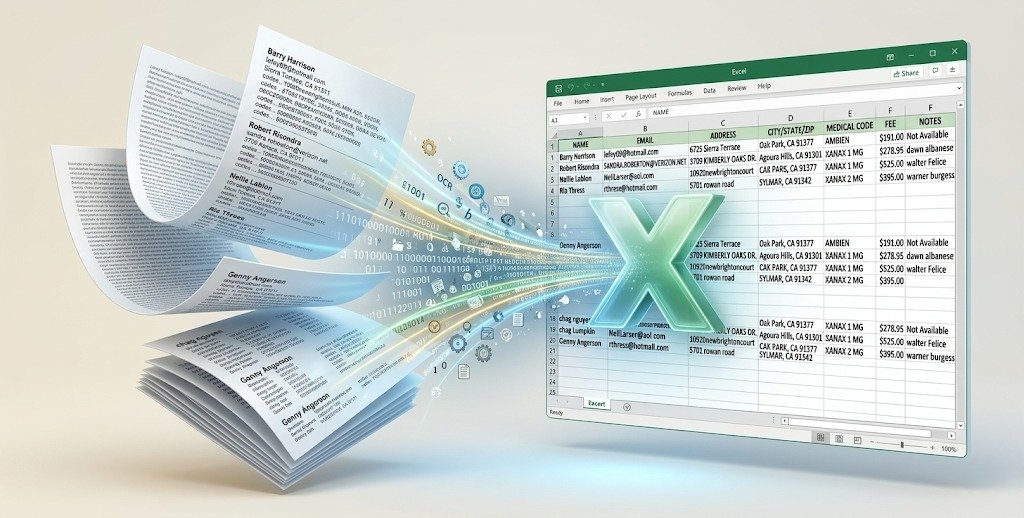
Our software supports a wide range of projects including KYC forms, banking applications, medical records, mortgage documents, surveys, government records, and more. It automatically transfers data from Excel or CSV files into form fields with high precision, reducing human error and saving valuable time.

For enhanced privacy and security, the auto typing process does not appear in screenshots, screen sharing, or screen recordings, making it suitable for secure and confidential data entry environments.

Perfect for individuals, agencies, and enterprises handling bulk form filling work efficiently with reliable data accuracy.

Autotyper Functionality

Core Features & Capabilities

Intelligent Data Management
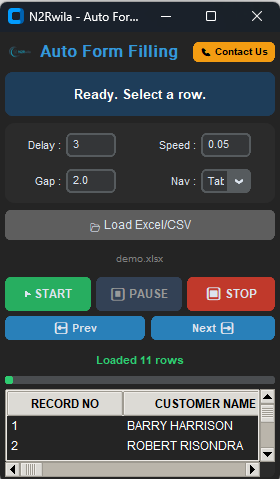
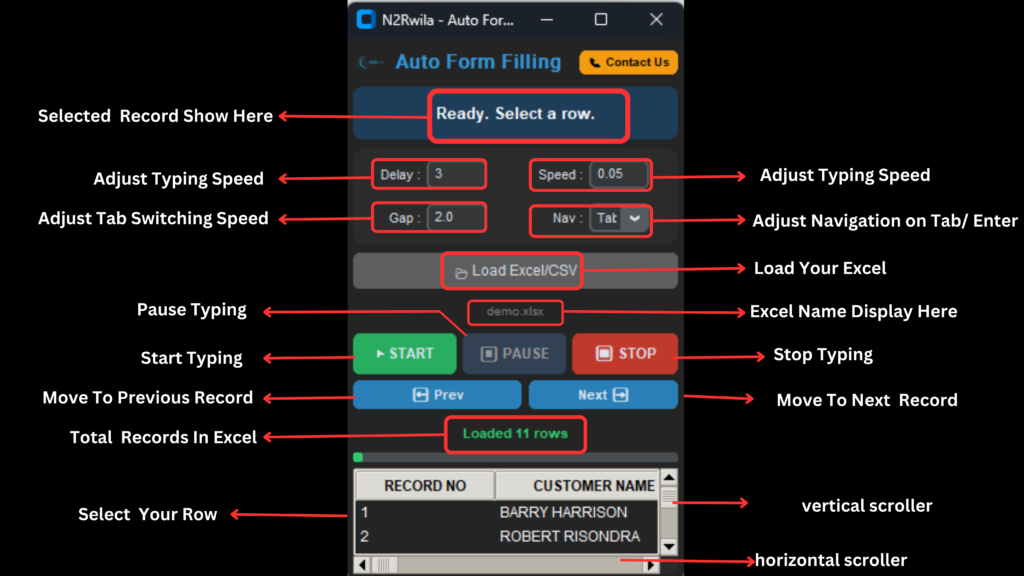
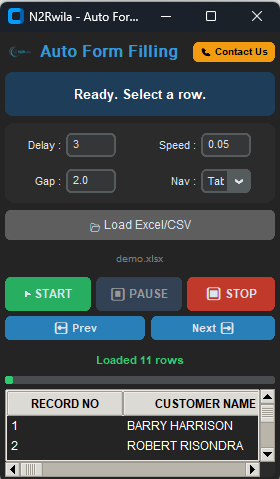
Seamlessly import your datasets from .xlsx, .xls, and .csv files. The software automatically parses headers and provides a clean, navigable preview grid.
  • Auto-Parsing: Instantly recognizes headers and columns.
  • Flexible Selection: Choose specific rows or the entire sheet.

  • Data Preview: Verify and edit your data before typing starts.

  • One-Click Automation: Start the entire process with a single hit.

Stealth & Anti-Detection Technology

Avoid being flagged by “Anti-Bot” scripts by customizing your typing profile to match a real human’s rhythm.

  • Variable Speed: Set custom intervals (e.g., 0.05s) for typing.

  • Start Delay: Built-in countdown to focus your cursor properly.

  • Row Gap Logic: Add pauses for page loads or processing.

  • Natural Rhythm: Simulates human speed to bypass filters.

Human-Mimicry Typing Engine

Avoid being flagged by “Anti-Bot” scripts by customizing your typing profile to match a real human’s rhythm.

  • Variable Speed: Set custom intervals (e.g., 0.05s) for typing.

  • Start Delay: Built-in countdown to focus your cursor properly.

  • Row Gap Logic: Add pauses for page loads or processing.

  • Natural Rhythm: Simulates human speed to bypass filters.

Universal Compatibility

If you can type into it, N2Rwila can automate it. It works across all platforms without any integration issues.

  • Web Browsers: Full support for Chrome, Firefox, and Edge.
  • Desktop Software: Compatible with Tally, SAP, and ERPs.
  • Bypass Restrictions: Works even where “Paste” is disabled.
  • OS Level Support: Functions on any window or text field.

How It Works

Highlights of N2Rwila Autotyper Software
Autotyper
  • Designed for Bulk Automation: Purpose-built to handle massive form filling and data entry automation tasks with ease.
  • Online & Offline Versatility: Supports seamless data entry across all online web forms and offline desktop applications.
  • Industry-Specific Compatibility: Perfectly suited for BPO, KYC, banking, mortgage, and medical data entry projects.
  • Excel & CSV Integration: Directly works with prepared Excel (.xlsx, .xls) and CSV data files for structured automation.
  • Precision Speed Control: Features adjustable auto-typing speeds (e.g., 0.05s) and customizable delay controls to match any workflow.
  • High-Volume Endurance: Provides continuous form filling support, making it reliable for long working hours and large-scale operations.
  • Human-Mimicry Technology: Utilizes hardware-level emulation to simulate natural typing and bypass anti-bot detection.
  • Universal Software Support: Works across all Windows-based systems, including browsers and ERPs like Tally or SAP.
  • Error-Free Accuracy: Maintains 100% data integrity, helping operators maintain consistent and accurate records without manual errors.
  • Professional Grade: Trusted and used by both individual data entry operators and professional agencies globally.
  • Smart Navigation Logic: Includes configurable Nav Key settings (Tab or Enter) and row gaps for perfect form navigation.
  • User-Friendly Interface: Features a simple setup with a navigable preview grid to verify data before the typing process begins.

Type Of Autotyper

Everything You Need to Know

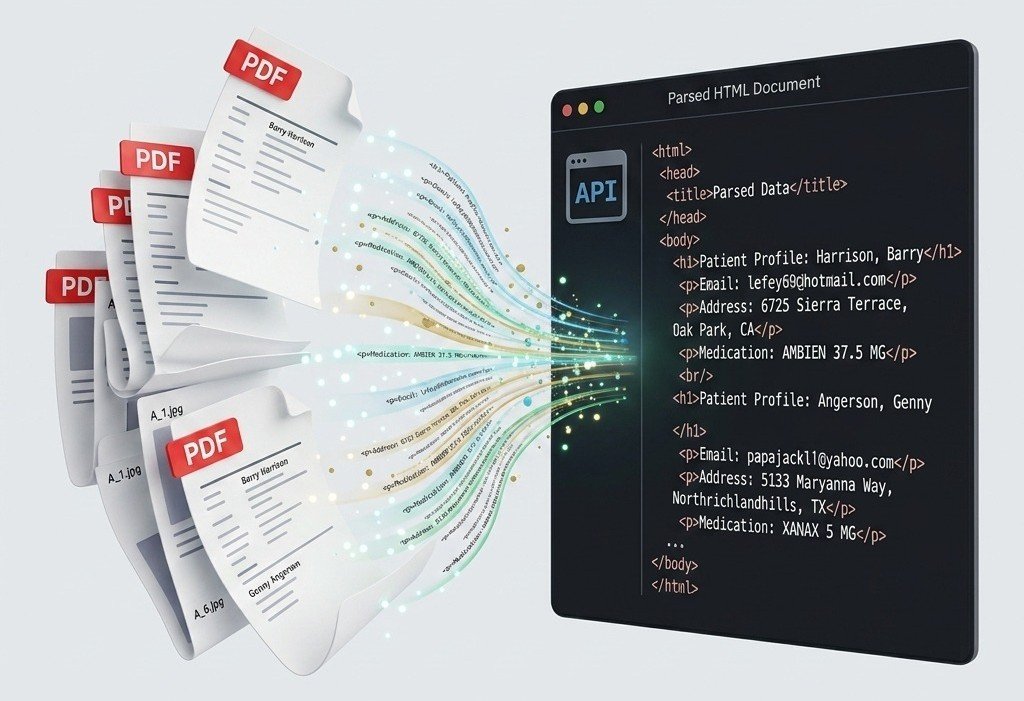
This software is designed to automate repetitive data entry tasks. It extracts data from your Excel or CSV files and simulates human-like keyboard typing to fill online forms, CRM portals, or desktop applications automatically, saving you hours of manual work.
Our tool uses a precise keystroke-simulation engine. It takes the text from your file and types it into the active window character-by-character, mimicking human typing speed and cadence, which ensures high compatibility even with websites that block standard “copy-paste” automation.
Yes. We have included a dedicated “Speed” setting where you can define the interval between keystrokes. This is useful for interacting with sensitive forms that require a slower input speed to process data correctly.

Absolutely. You have full control with dedicated Pause/Resume buttons. If you encounter a captcha, a slow-loading page, or need to verify a field, you can pause the process, handle the task manually, and resume exactly where you left off.

Yes, because it operates by simulating system-level keystrokes, it is platform-independent. It works on any application where you can place your cursor and type—whether it’s a web browser (Chrome/Edge/Firefox), an Excel sheet, or legacy desktop software.
Yes. In the settings, you can choose your “Nav” (Navigation) key—typically Tab or Enter. The software will automatically trigger this key after typing each cell value to move the cursor to the next input field.
Safety is built-in. You can hit the “Stop” button on the interface, or simply press the ‘ESC’ key on your keyboard at any time to instantly kill the automation process.
Yes, the software supports standard alphanumeric characters, special symbols, and punctuation marks found in your data files. It processes the text exactly as it appears in your Excel or CSV source.
Not at all. The interface is designed for simplicity. Just load your file, adjust your speed/delay settings, select the rows you want to process, and click “Start.” We’ve automated the backend logic so you can focus on your work.
You can use the “Gap” setting to define a time delay between rows. This gives you enough time to click into the next page or section of your form before the software starts typing the next set of data.
Scroll to Top